
How to study effectively with PDF notes
PDF is the main format used for studying: lectures, manuals, articles, and presentations.
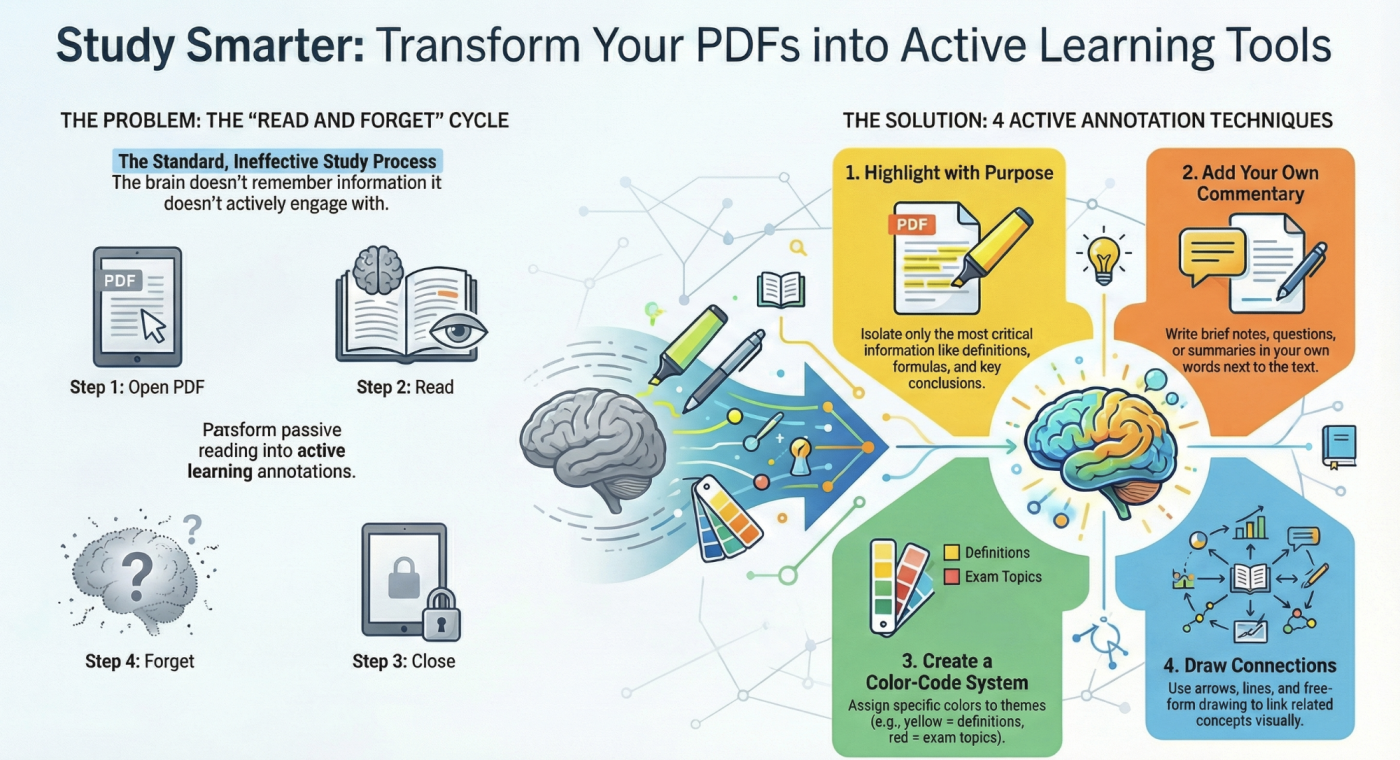
The problem is that passive reading of PDFs is not very effective.
The solution is active work with the text. That’s exactly why Annotate PDF is needed.
It’s an online service that allows you to write, highlight, comment, and sign PDFs directly in your browser. No software installation and no registration required.
Below, we’ll break down how to make your studying 10 times more effective with Annotate PDF.
Why students lose information when reading PDFs
The typical scenario:
1. Open a PDF
2. Read it
3. Close it
4. Forget it
The brain does not remember what it doesn’t interact with.
Annotations solve this problem — and Annotate PDF makes them fast and convenient.
How Annotate PDF helps you learn better
1. Highlight what matters, not everything
Annotate PDF lets you highlight important parts of a PDF.
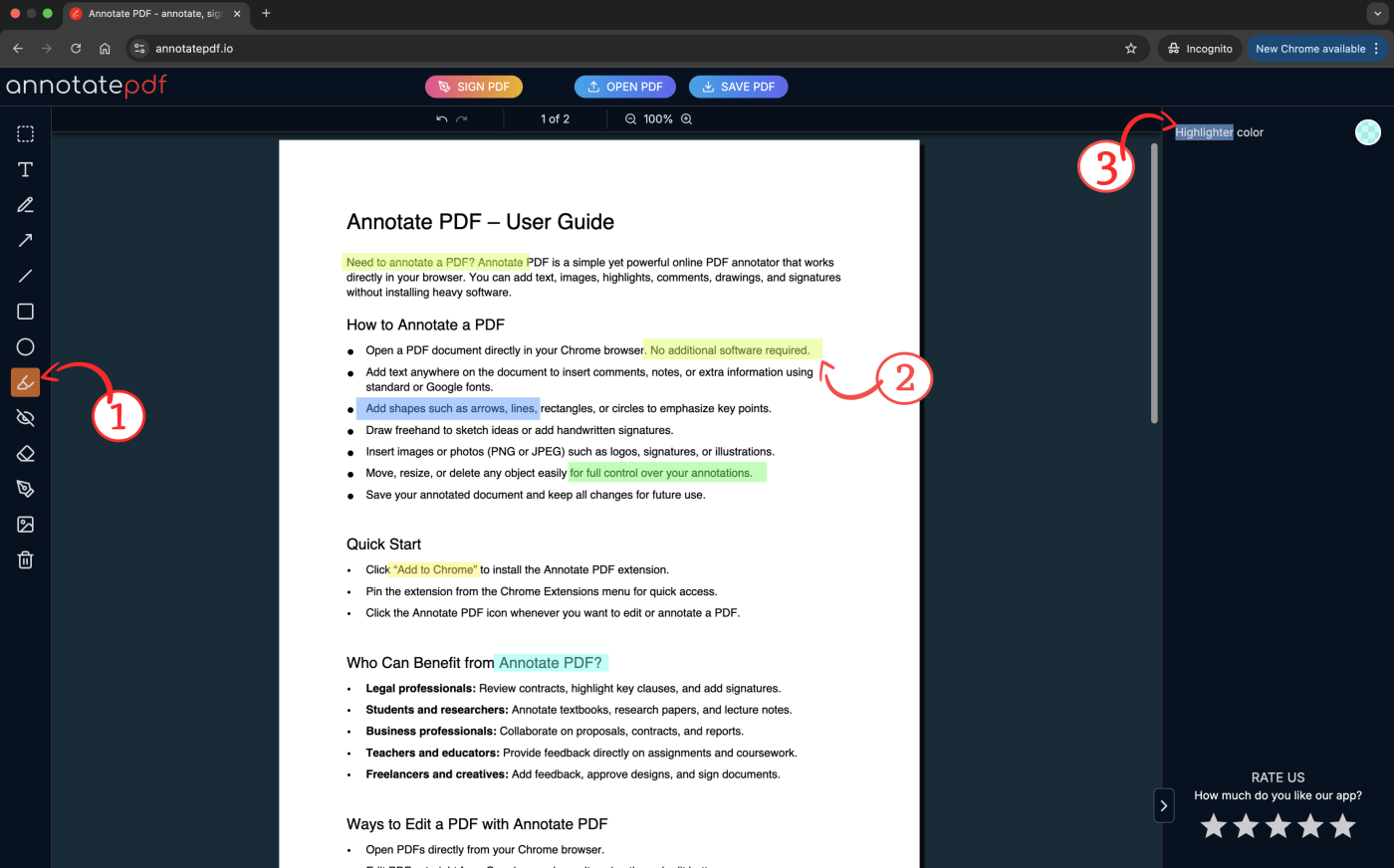
It’s not for decoration — it’s for structure.
How to use it:
✔ Highlight definitions
✔ Highlight formulas
✔ Highlight conclusions
✘ Don’t highlight entire paragraphs — only the meaning.
2. Write short comments directly in the text
Annotate PDF allows you to add your own notes to a PDF.
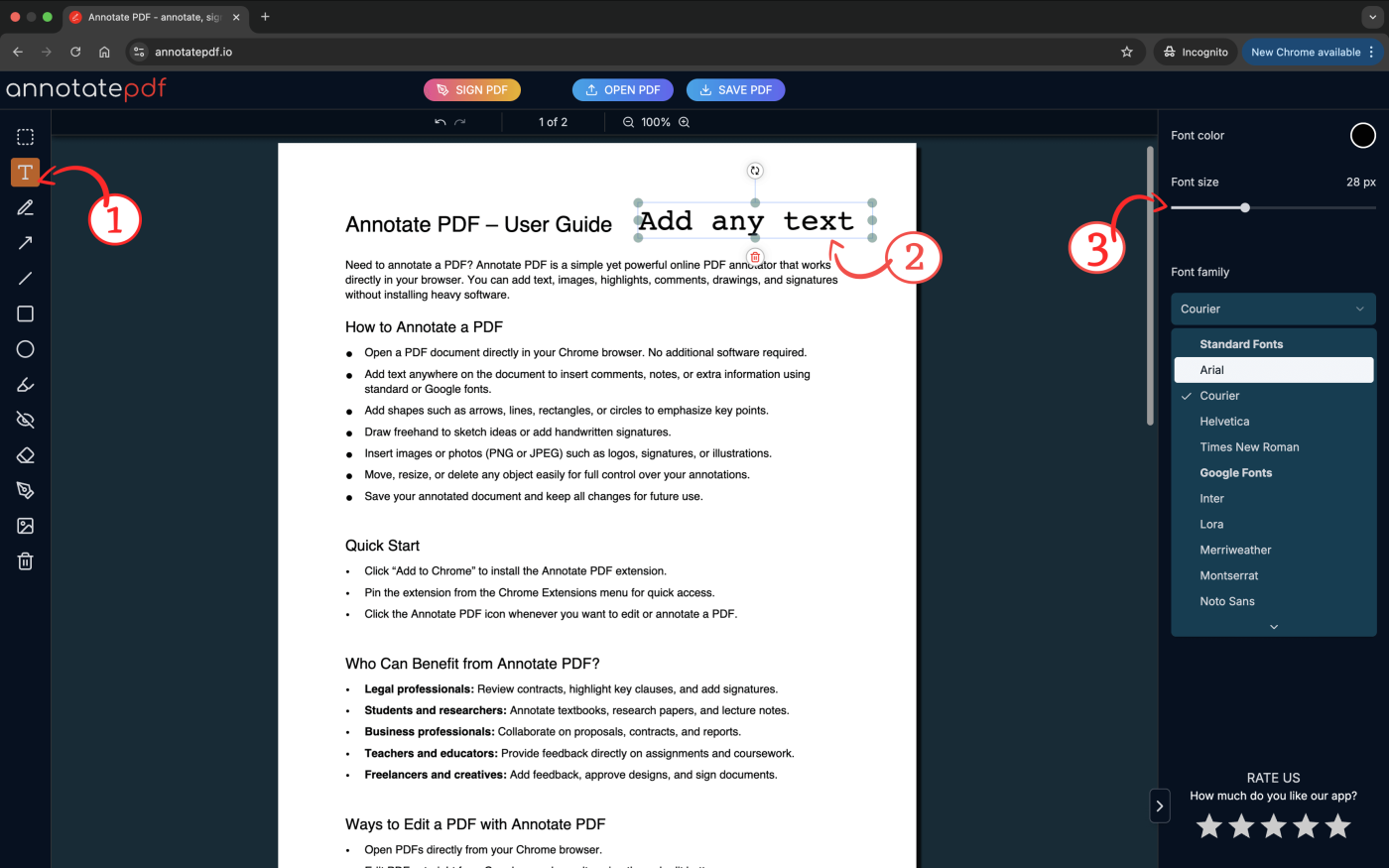
What to write:
⬥ An explanation in your own words
⬥ A question about the topic
⬥ A connection to another lecture
One idea — one comment. Short. To the point.
3. Use color as a system, not decoration
Annotate PDF lets you change the color of text, shapes, and highlights.
Example of a system:
🟡 yellow — definitions
🟢 green — examples
🔴 red — things you must memorize
Color is a code that speeds up revision before exams.
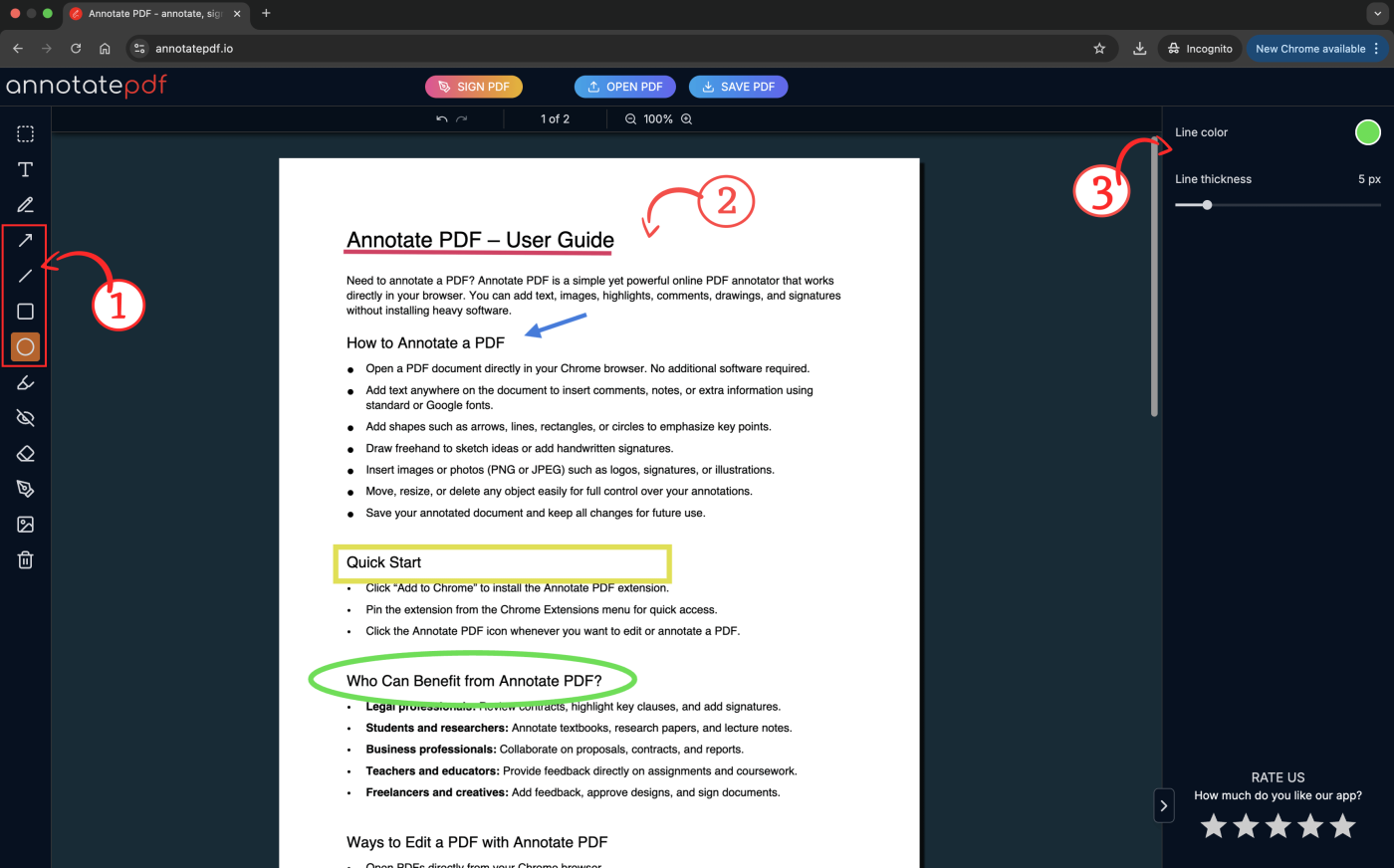
4. Draw diagrams and arrows
Not everything can be explained with text.
When meaning is hard to express in words, you can draw directly in the PDF.
Put text into frames (oval, square, triangle), underline important parts with colored lines, point to elements using arrows, or draw by hand.
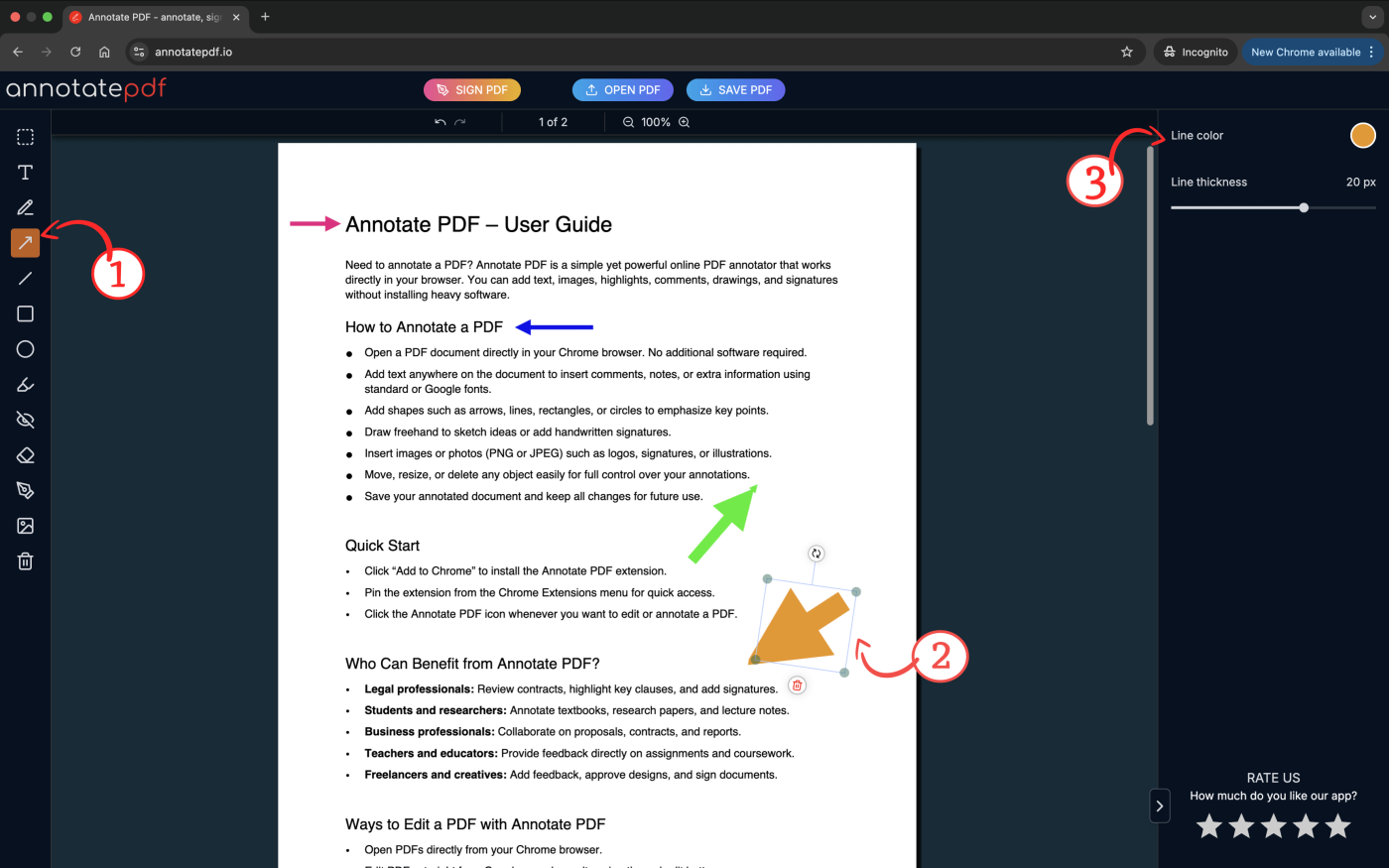
Use them for:
⬥ Connections between topics
⬥ Cause-and-effect relationships
⬥ Process logic
Annotate PDF as a student’s daily tool
What matters is not only what you do, but how fast you can do it.
| Annotate PDF feature | What it gives students |
| Works directly in the browser | You can open and edit PDFs without installing software |
| No installation required | Works on any computer, even a shared one |
| Available on any device | Convenient for studying at home, in the library, or on the go |
| Does not change the original file | You can experiment without fear of ruining the document |
| Fast editing | Easy to fix mistakes and expand your notes |
Exam preparation with Annotate PDF
Before an exam, speed matters.
What Annotate PDF gives you:
✔ All key points are already highlighted
✔ Comments remind you of the meaning
✔ Visual elements speed up understanding
You don’t reread the entire PDF — you scan the key points and save precious hours that you can spend with friends or family.
Summary
Annotate PDF turns a dry, hard-to-understand file into a powerful learning tool.
It helps you:
- Understand material better
- Review faster
- Forget less
- Learn more actively
If you’re a student working with PDFs every day, Annotate PDF is not an option — it’s a necessity.