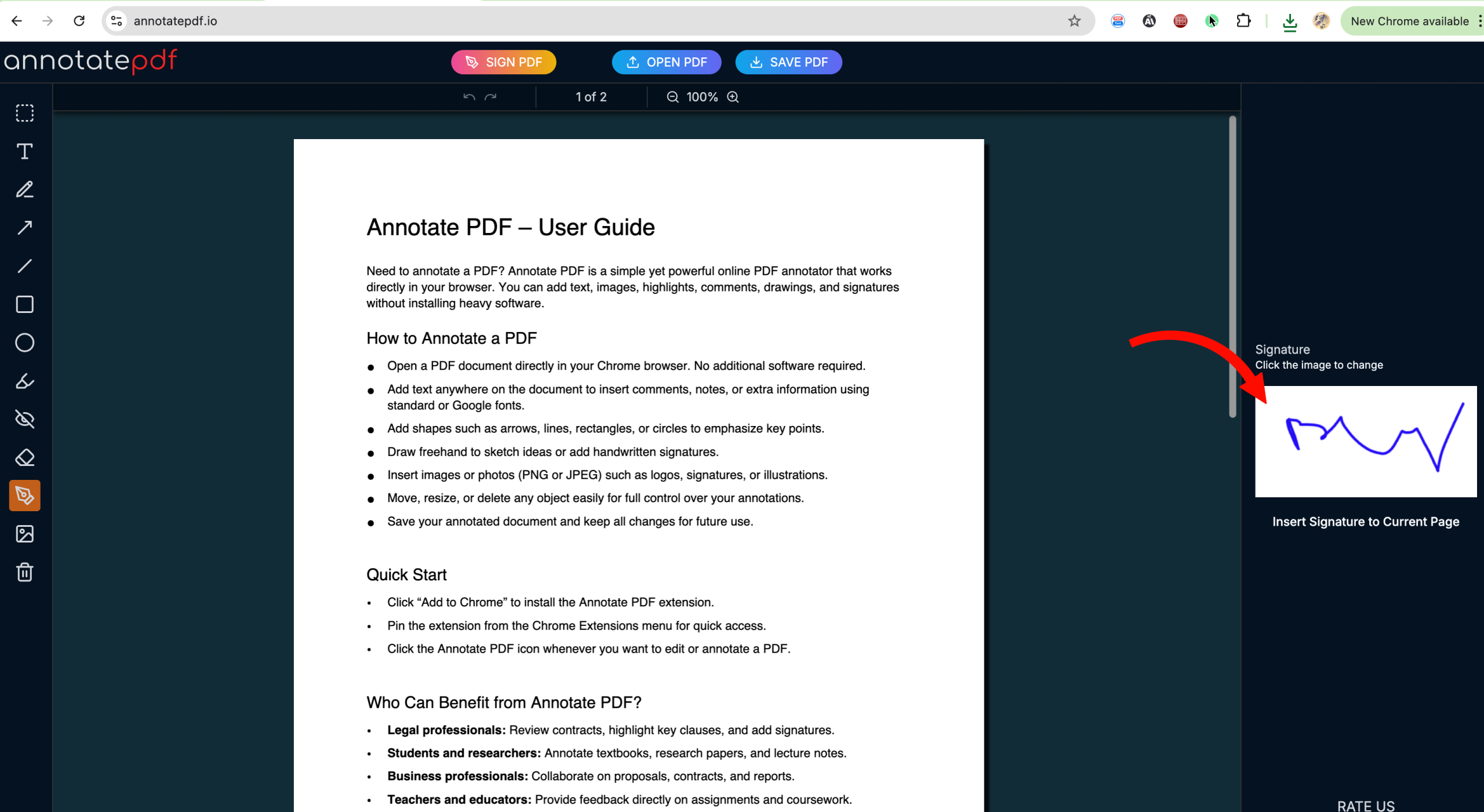
How to sign a PDF
With Annotate PDF, you can sign any document in just a few clicks.
First way — the fastest
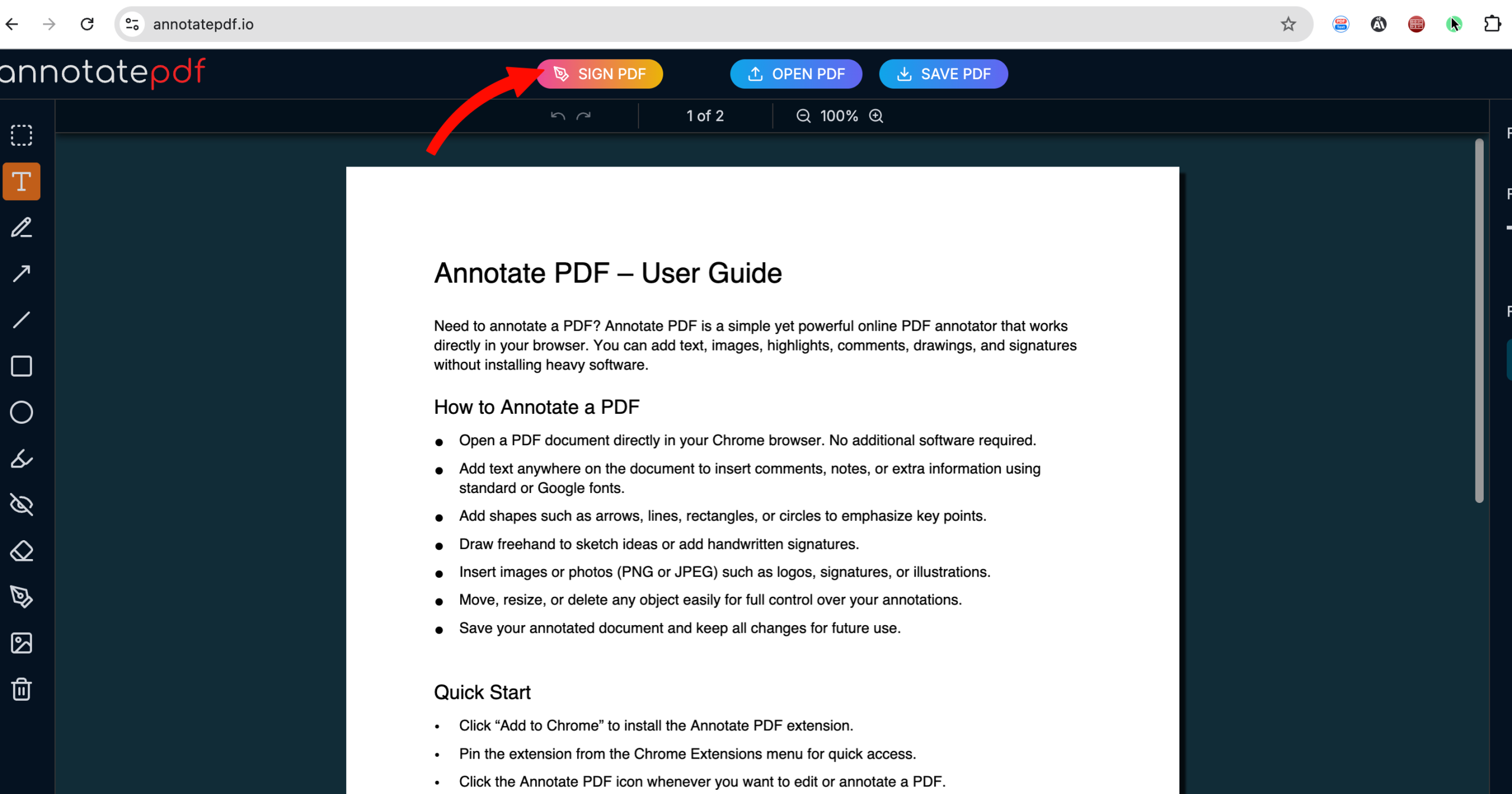
You can upload your scanned signature as an image from your device.
To do this, click the Sign PDF button on the top toolbar:
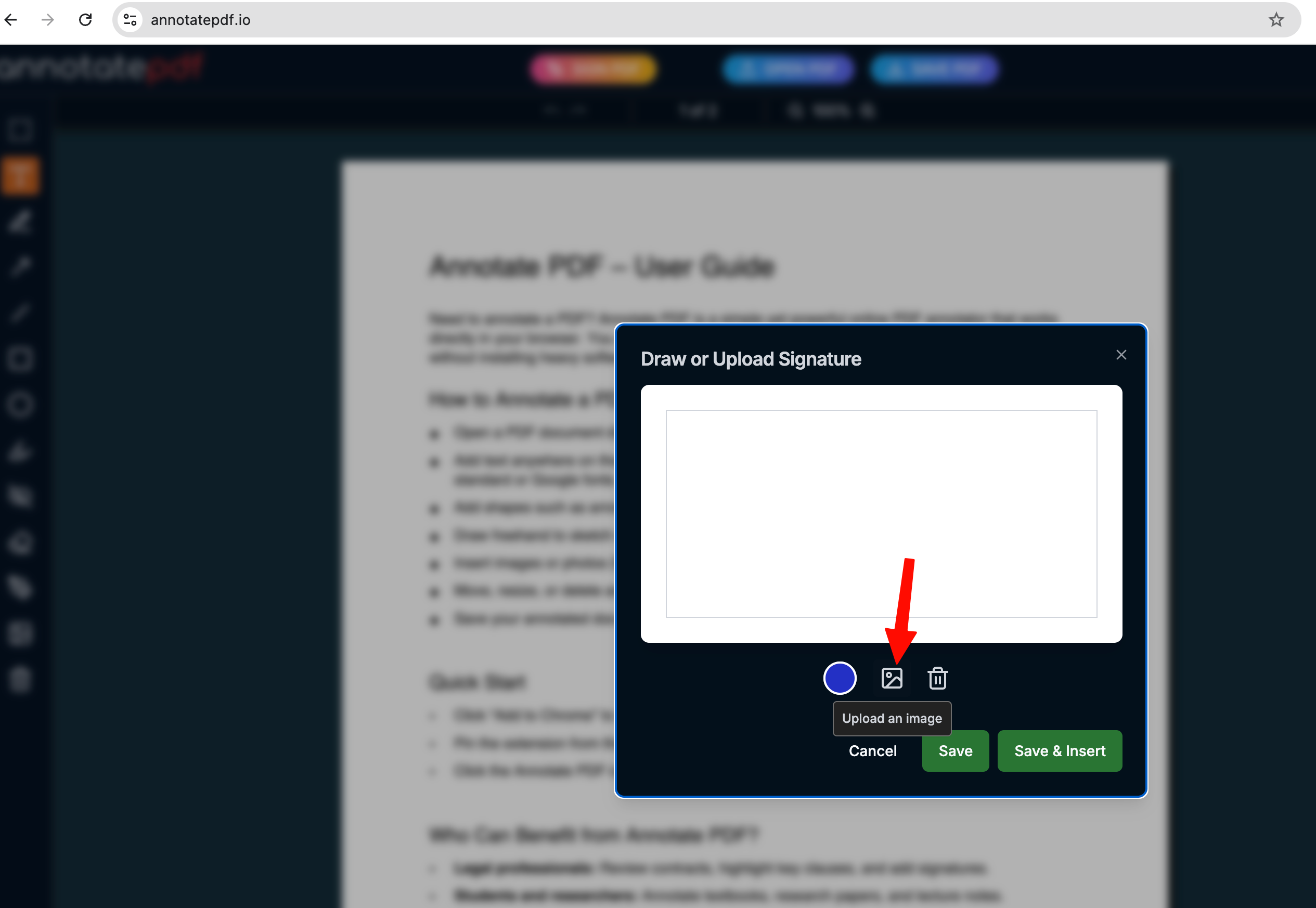
In the popup window, click Upload an image:
After uploading the signature, click Save and Insert to add the signature to the PDF.
Second way
You can add your signature to the PDF by drawing it by hand.

You can change the color of your signature or delete it in the settings menu.
After saving the signature, it will always be available to you in other documents.
To edit a saved signature, select the Sign tool and click on your signature in the settings panel on the right.