
Annotate PDF for teachers and educators
How to use Annotate PDF to review assignments and student work
PDF is the standard format for educational materials.
Tests, homework, essays, manuals, reports.
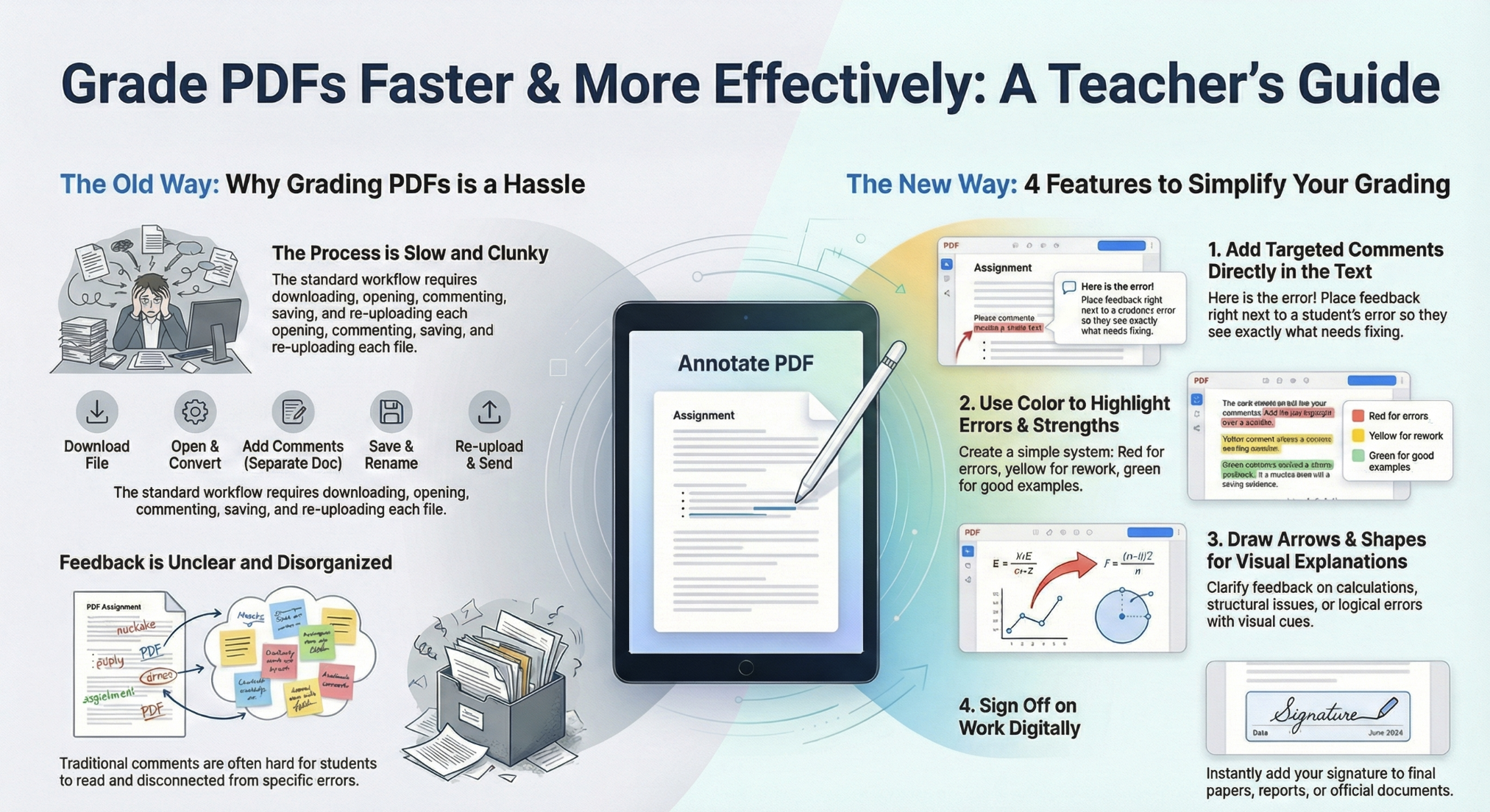
The problem is that reviewing PDFs on paper is slow and inconvenient.
Reviewing them in Word or Adobe is complicated and requires installation.
The solution is to use Annotate PDF.
This is an online service that lets you review, comment on, and sign PDFs directly in your browser.
No software installation. No registration.
Below, we’ll look at how teachers can simplify grading and save time.
Why reviewing assignments takes so much time
The standard workflow:
1. Download the PDF
2. Open it in a program
3. Add comments however possible
4. Save the file
5. Send it to the student
The problem is that corrections are:
✘ Poorly structured
✘ Hard to read
✘ Often lost
Annotate PDF solves this and makes the review process much more convenient.
How Annotate PDF simplifies assignment review
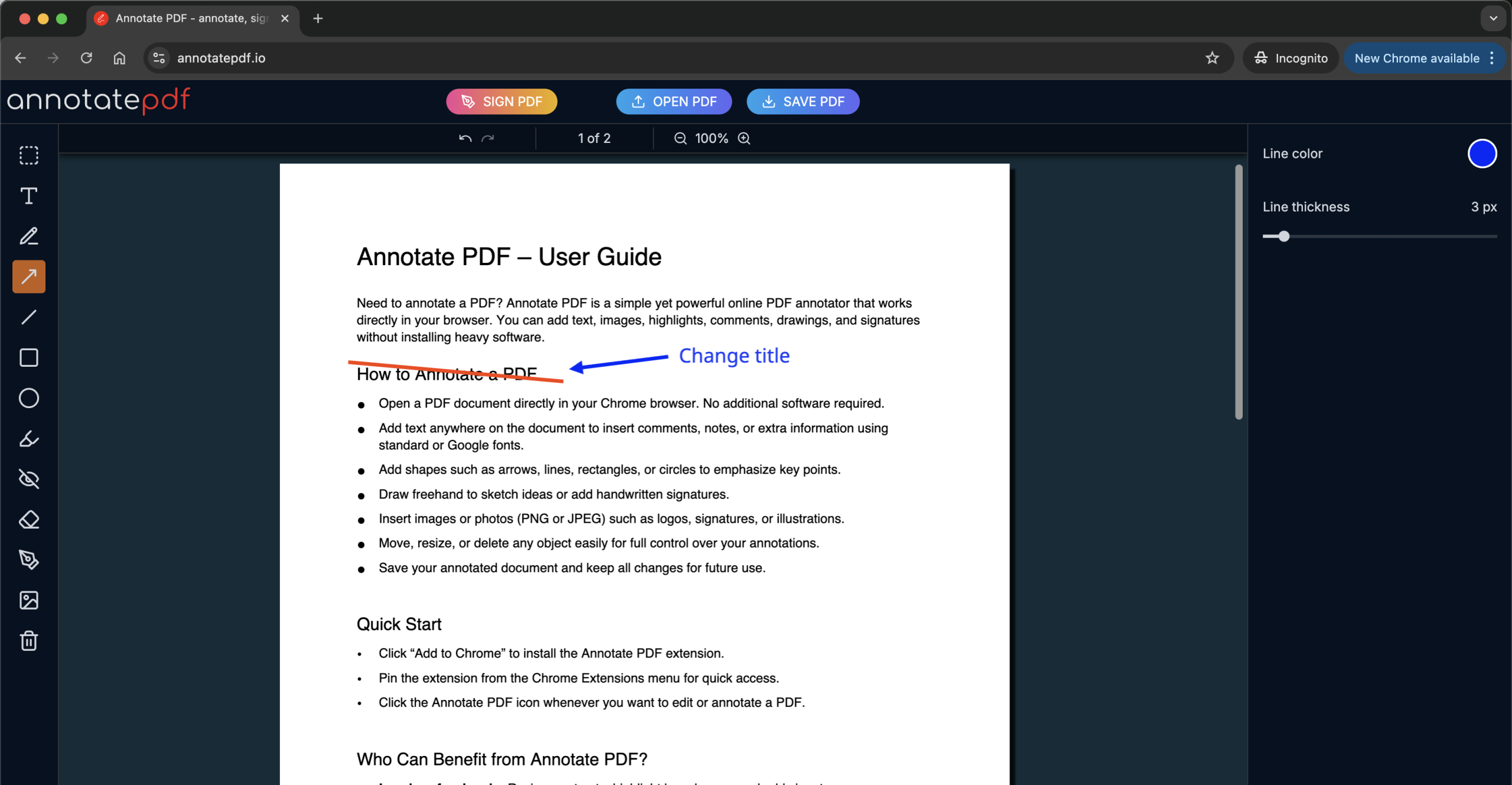
1. Comment directly in the text
The Text tool lets you write comments right next to the mistake.
Why this is useful:
✔ The student immediately sees what the comment refers to
✔ No need to write long explanations at the end of the file
Write briefly. To the point.
One mistake — one comment.
2. Highlight mistakes and strong points with color
The Highlight tool helps visually separate different types of feedback.
Example system:
🔴 red — mistake
🟡 yellow — needs improvement
🟢 green — good example
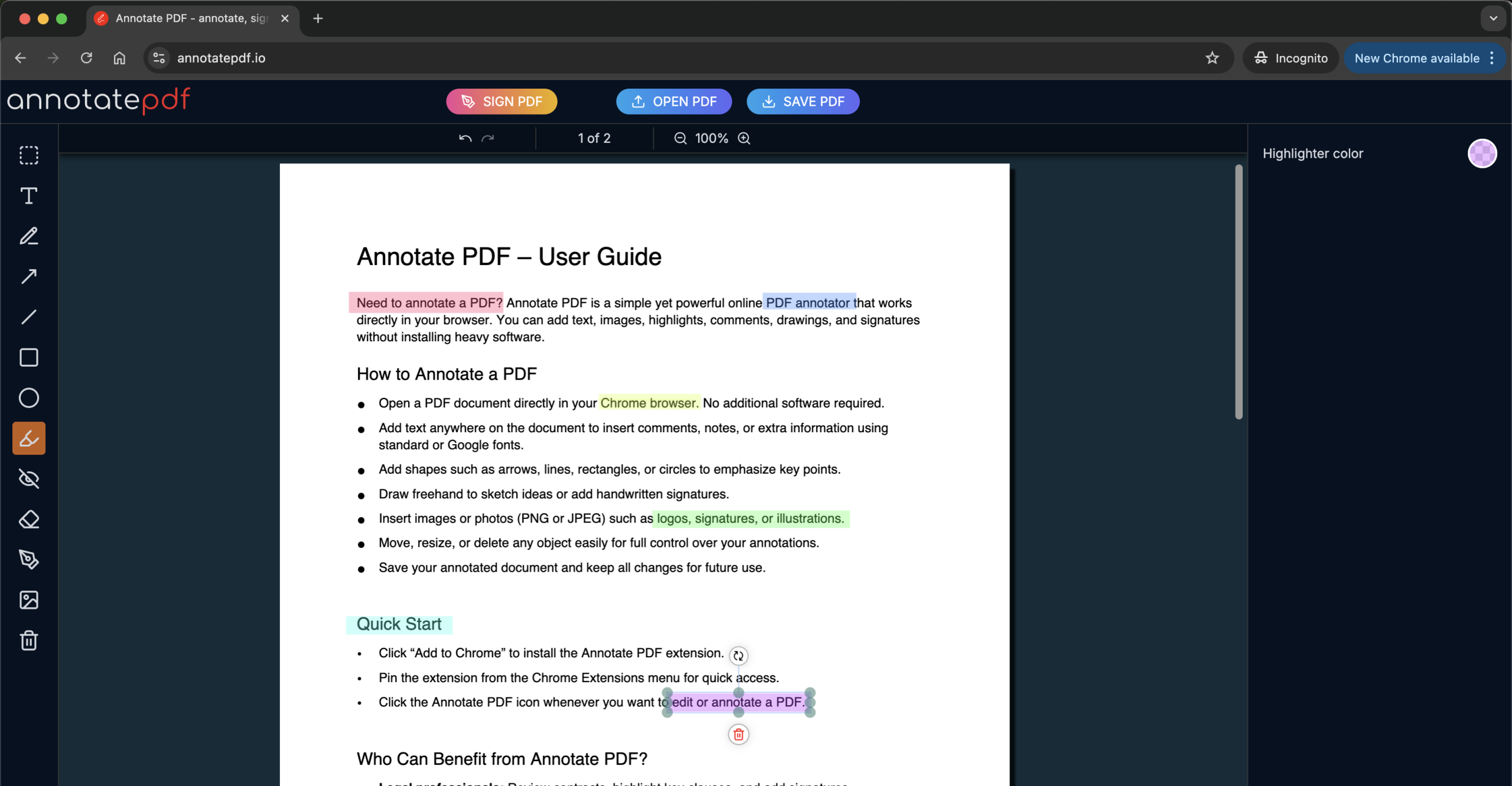
The student doesn’t need to read everything.
They immediately understand what needs fixing.
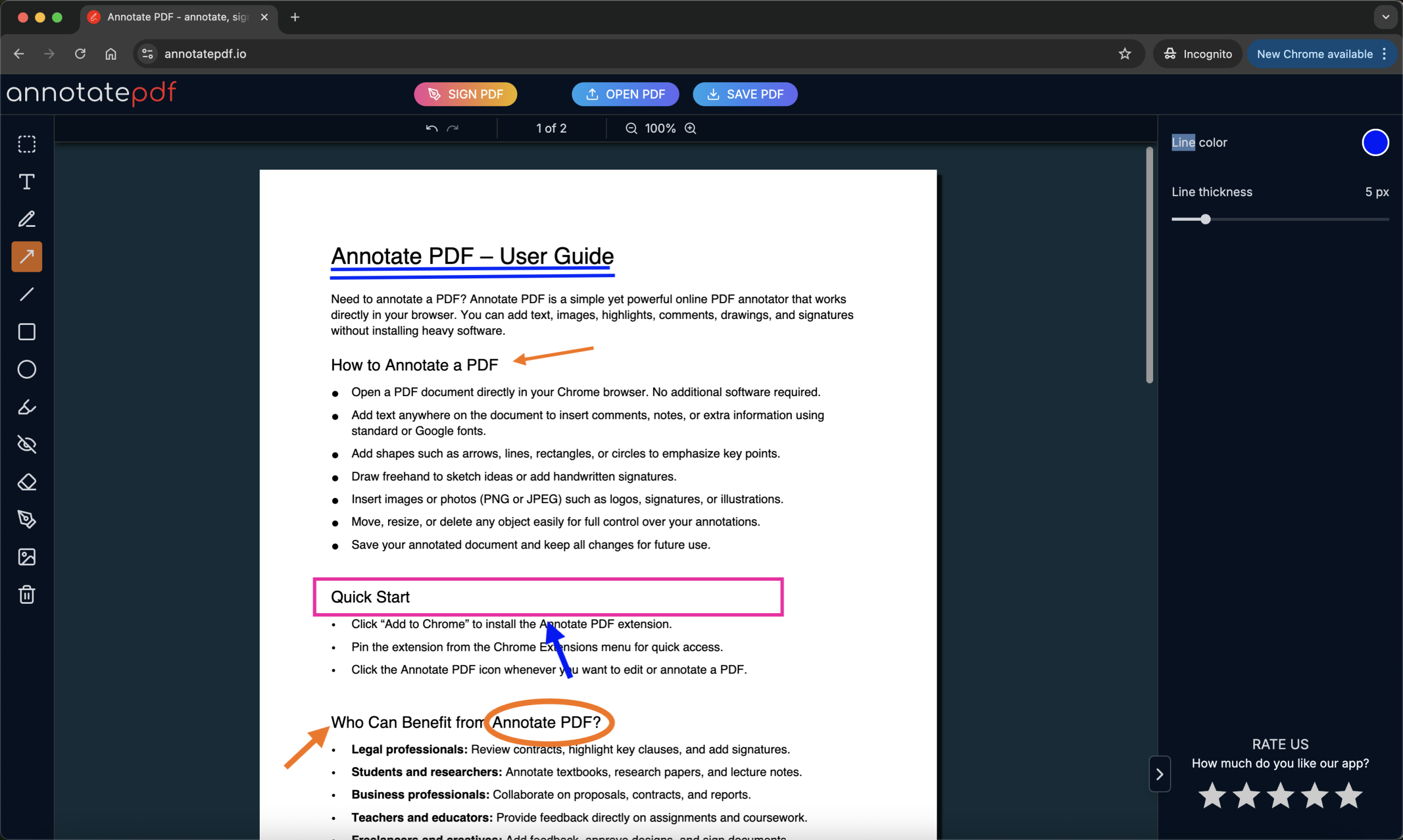
3. Use arrows and shapes for explanations
Sometimes text is not enough.
Annotate PDF allows you to outline fragments (oval, square, triangle), underline important parts with colored lines, point to elements with arrows, or draw diagrams by hand.
This is especially useful:
➤ When reviewing calculations
➤ When analyzing the structure of a paper
➤ When explaining logical errors
4. Sign reviewed assignments
The Signature tool allows you to add the teacher’s signature.
When this is useful:
⬥ Final projects
⬥ Pass/fail assessments
⬥ Official documents
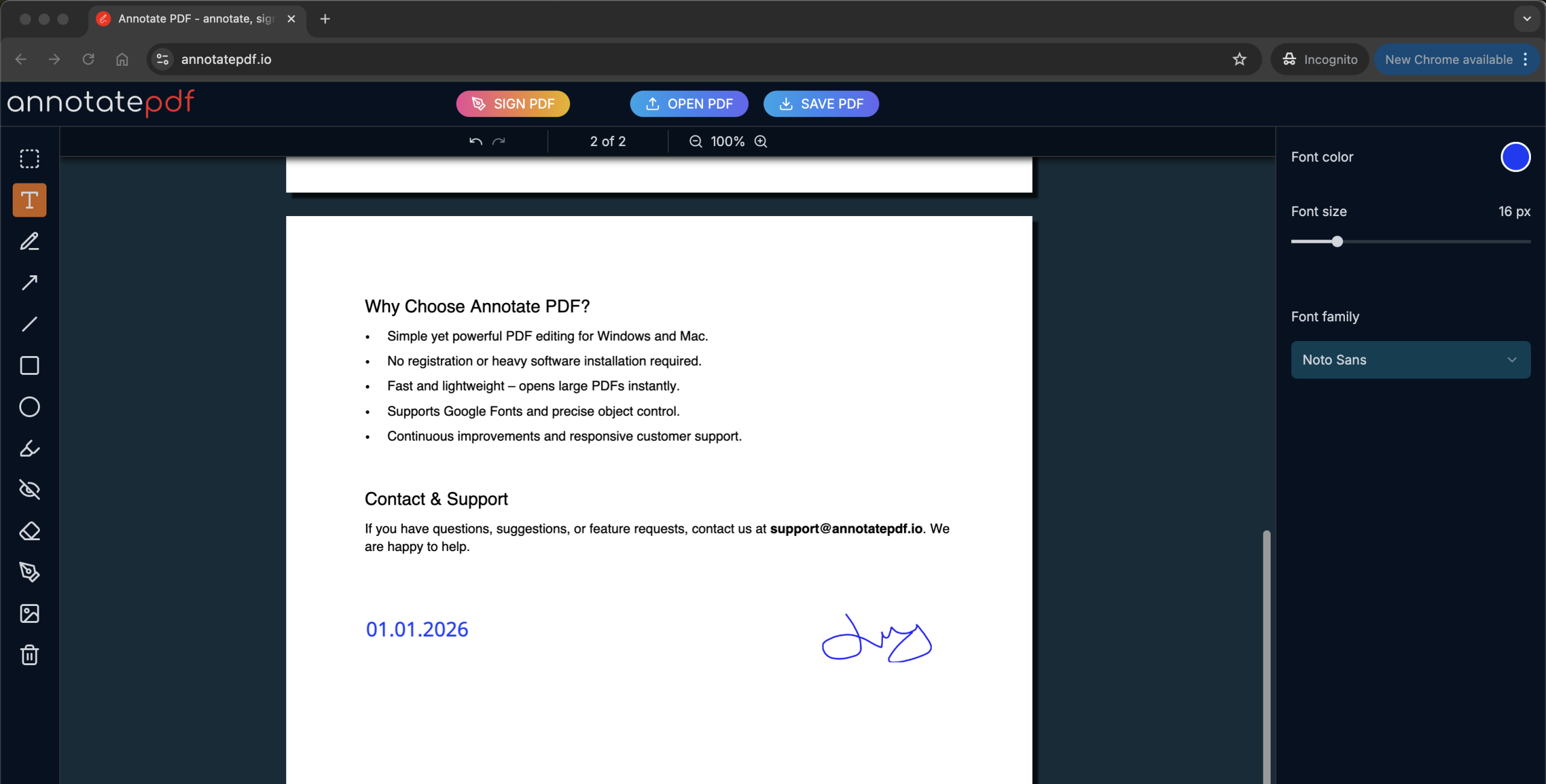
The signature is added directly to the file. No printing or scanning required.
Annotate PDF as a teacher’s working tool
Not only quality matters, but also speed.
| Annotate PDF feature | What it gives the teacher |
| Works in the browser | You can review assignments from any computer |
| No installation required | Suitable for school, university, and home |
| Fast editing | Corrections and comments in one click |
| Doesn’t damage the original | No risk of corrupting the file |
| Clean and clear result | Students easily understand the feedback |
Assignment review and feedback
Annotate PDF makes feedback clear:
✔ Comments are placed next to mistakes
✔ Visual hints speed up understanding
✔ Students see the logic behind the corrections
This reduces the number of questions like:
“What exactly is wrong here?”
Which saves you a lot of nerves and valuable time — time you can spend on things you actually enjoy.
Conclusion
Annotate PDF turns PDF grading from a routine task into a smooth and convenient process.
It helps teachers:
1. Review faster
2. Provide clear feedback
3. Keep comments structured
4. Save time and energy
If you’re a teacher who regularly reviews PDF assignments, Annotate PDF is not just a convenience — it’s a working tool built specifically for you.